
Add and style text
Words in dozens of fonts, curved, outlined and coloured.
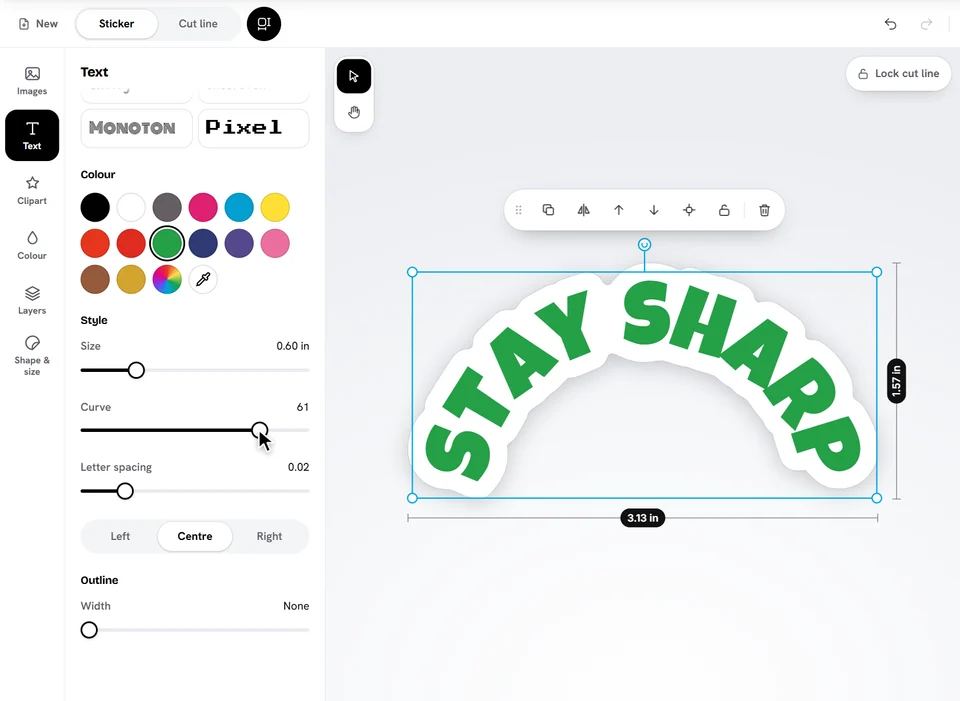
- Open Text and tap Add text.
- Type your words in the box. Press Enter for a new line.
- Pick a Font. They're grouped: everyday, bold and display, handwritten and script, fun. Some have a Bold switch.
- Pick a Colour, then adjust the Style: size, curve, letter spacing, line height (with several lines) and alignment.
To change your words later, double-click (or double-tap) the text on your sticker and type right on it. Click anywhere else, or press Esc, when you're done.
Curve and outline
Drag Curve right to bend the words into an arch, left to bend them the other way: perfect along the top or bottom of a round sticker. Outline adds a coloured edge around the letters, so text stands out on a picture.
Text you copy from anywhere and paste on the designer with Ctrl+V is added as new text.
Ready to try it?
Open the designer