
Upload, drop or paste a picture
Add your own image or logo and get a clean cut line around it.
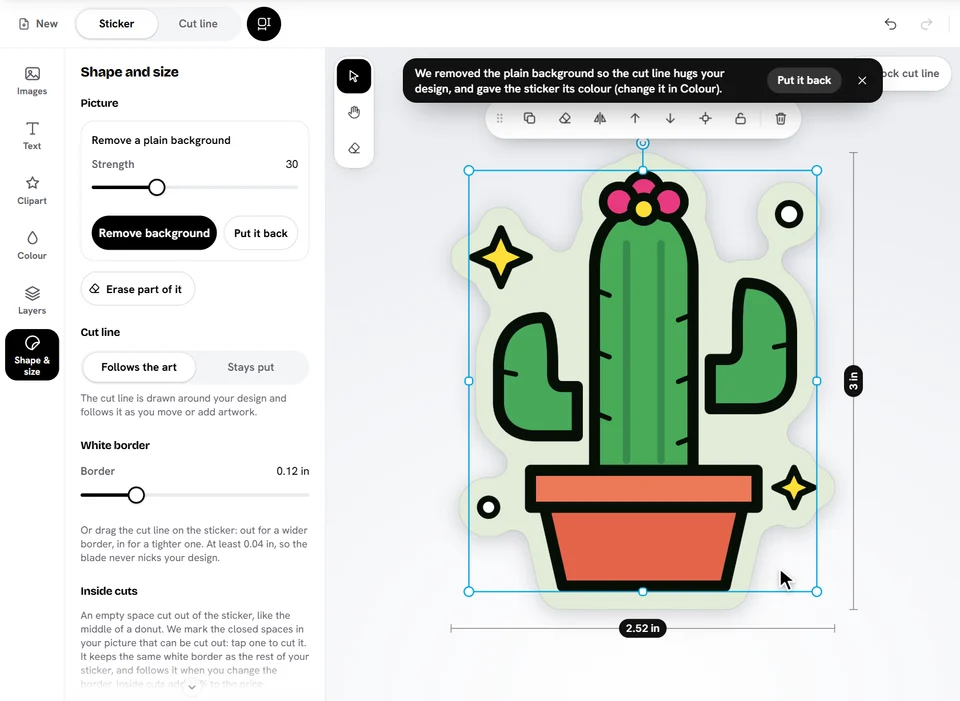
- Tap Upload a picture on your empty sticker (or open Images and tap Upload an image).
- Pick one or more files: PNG, JPG, WebP, SVG or PDF.
- On a die cut sticker, a plain background is removed and the cut line is drawn around your picture in a moment.
You can also drag a file from your computer onto the sticker, or paste a copied image with Ctrl+V (Cmd+V on a Mac).
For the best result
- A transparent PNG, or a picture on a plain white or single-colour background: we remove the background for you. See Remove a plain background.
- A large picture: about 200 pixels per inch of sticker prints sharp. A 3 in sticker needs a picture about 600 pixels wide. See print quality.
- A logo or illustration in a PDF or SVG stays crisp at any size. See Use a PDF.
Ready to try it?
Open the designer