
Select several and line them up
Move, align and space several pieces at once.
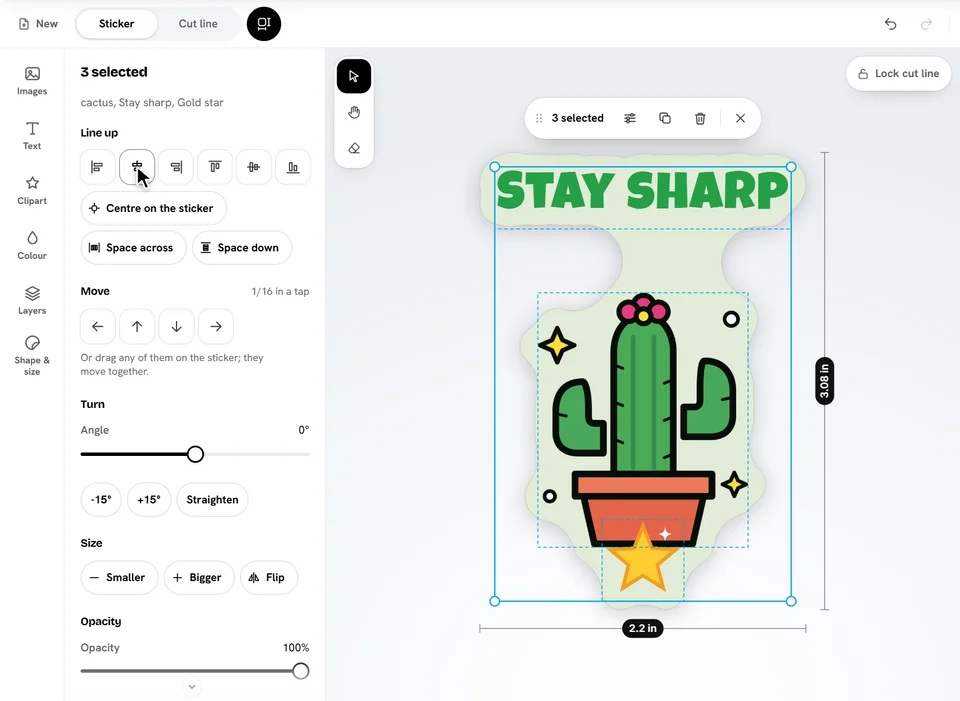
Select several
- Drag across an empty spot: everything the box touches is selected.
- Shift+click (or Ctrl+click) adds a piece, or takes it out.
- Ctrl+A selects everything.
- In Layers, tick each piece's box, or tap Select all.
They share one frame: drag any of them to move them together, or a corner to resize them all.
Line them up
On a computer the Selection panel opens by itself (on a phone, tap Adjust them together). Line them up on the left, middle, right, top or bottom, centre them on the sticker, space three or more evenly, and turn, resize, flip or restack them together.
Ready to try it?
Open the designer